Nobody Got the Alert
Helping business owners hear about a broken metric the moment it breaks, and reach the right person fast.
cliff.ai
Company
0
steps to first alert
4
new surfaces
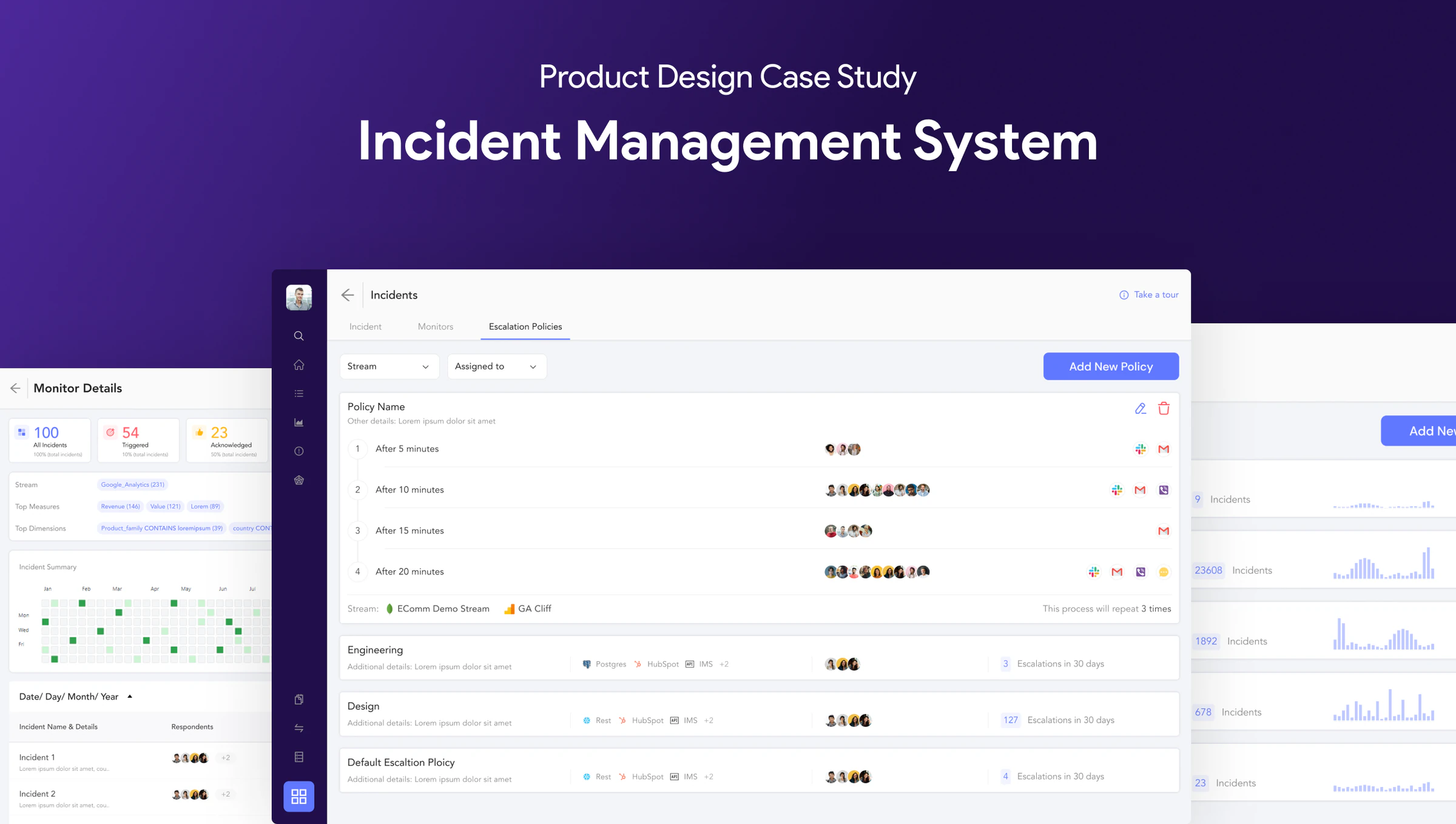
Project Overview
Objective. Make alerts work without any setup, and get every incident to the right person fast.
- Industry
- B2B SaaS · Observability & analytics
- Platform
- Web
- Tools

- Team
 Devesh (me)Product Designer
What I delivered
- Traced a missed sale-day alert to rules most users never set up.
- Studied PagerDuty, Squadcast and Opsgenie for what to borrow.
- Redesigned alerting into incident management that works out of the box.
- Designed 4 new surfaces: monitors, incidents, escalation policies and postmortems.
- Renamed features so they say what they do. Alert Rules became Monitors.
What cliff.ai does
cliff.ai
cliff.ai watches the metrics a business runs on, like traffic and sales, and tells the team when something looks wrong.
Incident Management · part of cliff.ai
The part of cliff.ai that turns a broken metric into an alert, and gets it to the right person fast.
01Problem Framing
Why A Store Owner Missed His Sale-Day Traffic Alert
Aayush runs an e-commerce store and watches his metrics on cliff.ai. During a festive sale he wanted a ping when traffic crossed 65K visitors, so his tech team could scale up. Traffic crossed 65K. No ping came.
He complained to our customer team, and that started this project.
Alerts Needed Rules Most Users Never Set Up
Alerts only fired if the user had set up Alert Rules first. Most people either didn’t know that, or forgot.
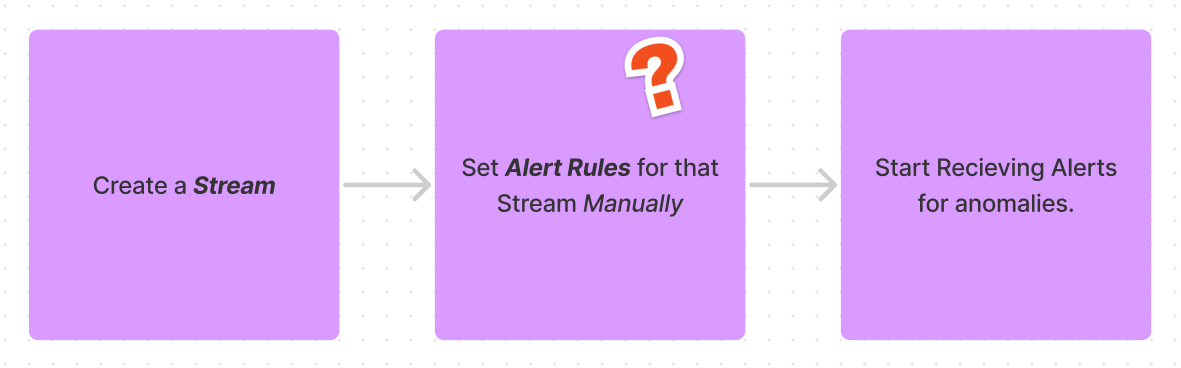
Listening to users turned up three problems.
Three problems, three fixes
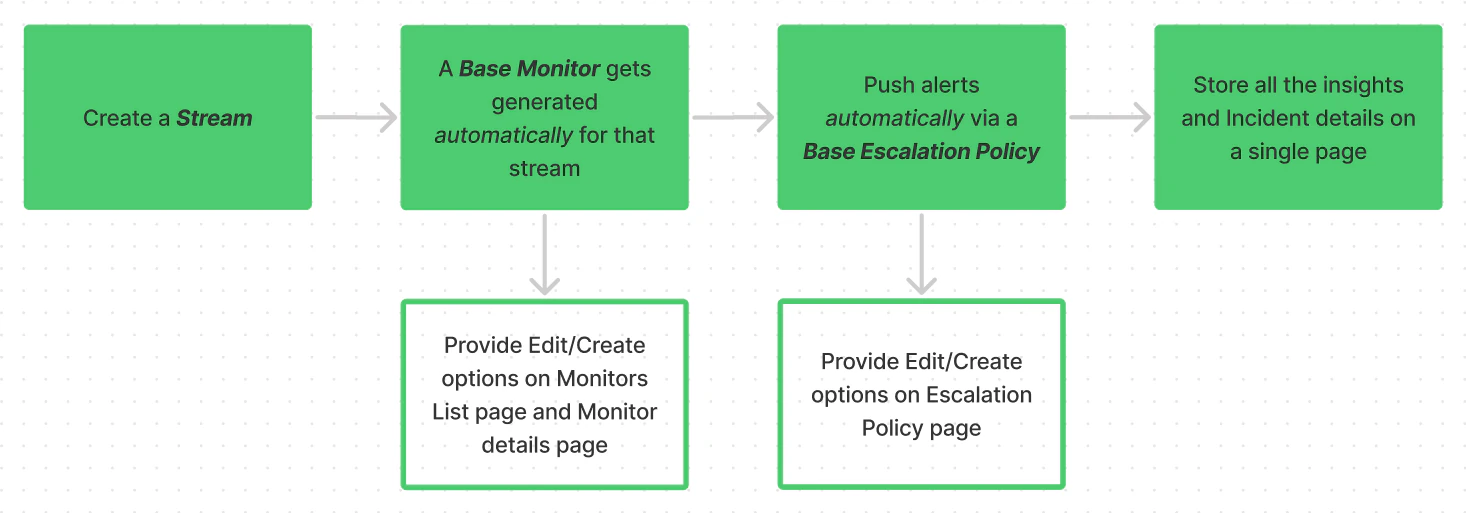
- Missed alertsRules weren't set upFix: a default monitor, so alerts work from day one.
- Wrong peopleNo control over who gets toldFix: escalation policies. Notify John, and if he doesn't acknowledge in time, Saahil.
- No patternsIncidents lived nowhereFix: one incidents page with status, time and owners, plus a page for each incident.
- For Users
- Less time digging through dashboards, only the incidents that matter
- For Businesses
- Irregularities caught early, so planning gets more predictable
02Competitor Analysis
What We Learned From PagerDuty, Squadcast & Opsgenie
PagerDuty, Squadcast and Opsgenie. Our visual language was already set, so I studied their flows, not their looks. Opsgenie’s flow matched ours most closely.
Two things came out of it. We renamed features so the name says what they do (Alert Rules became Monitors), and we cleaned up the hierarchy.
03Solution Design
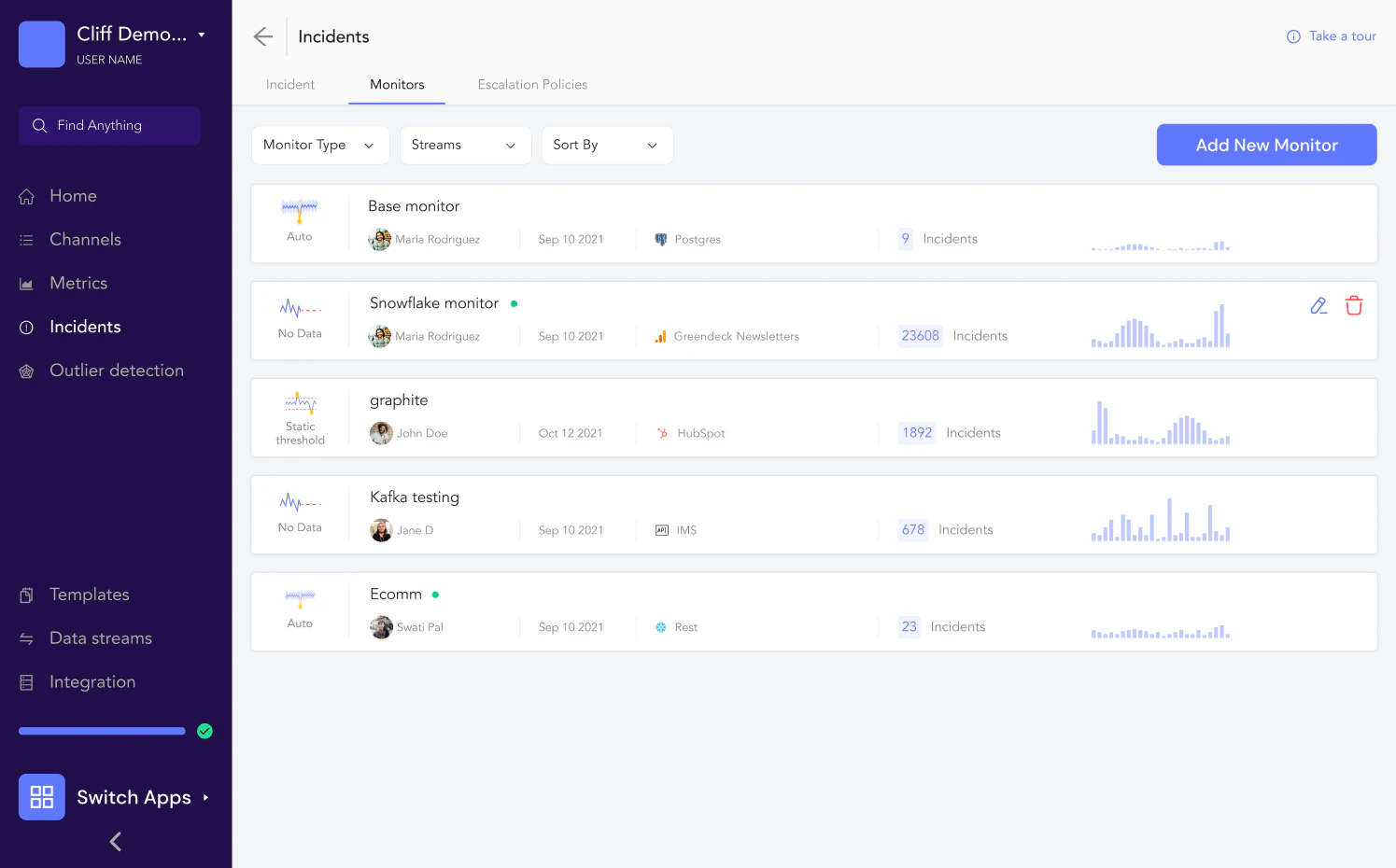
Monitors: Watching Metrics And Raising Incidents
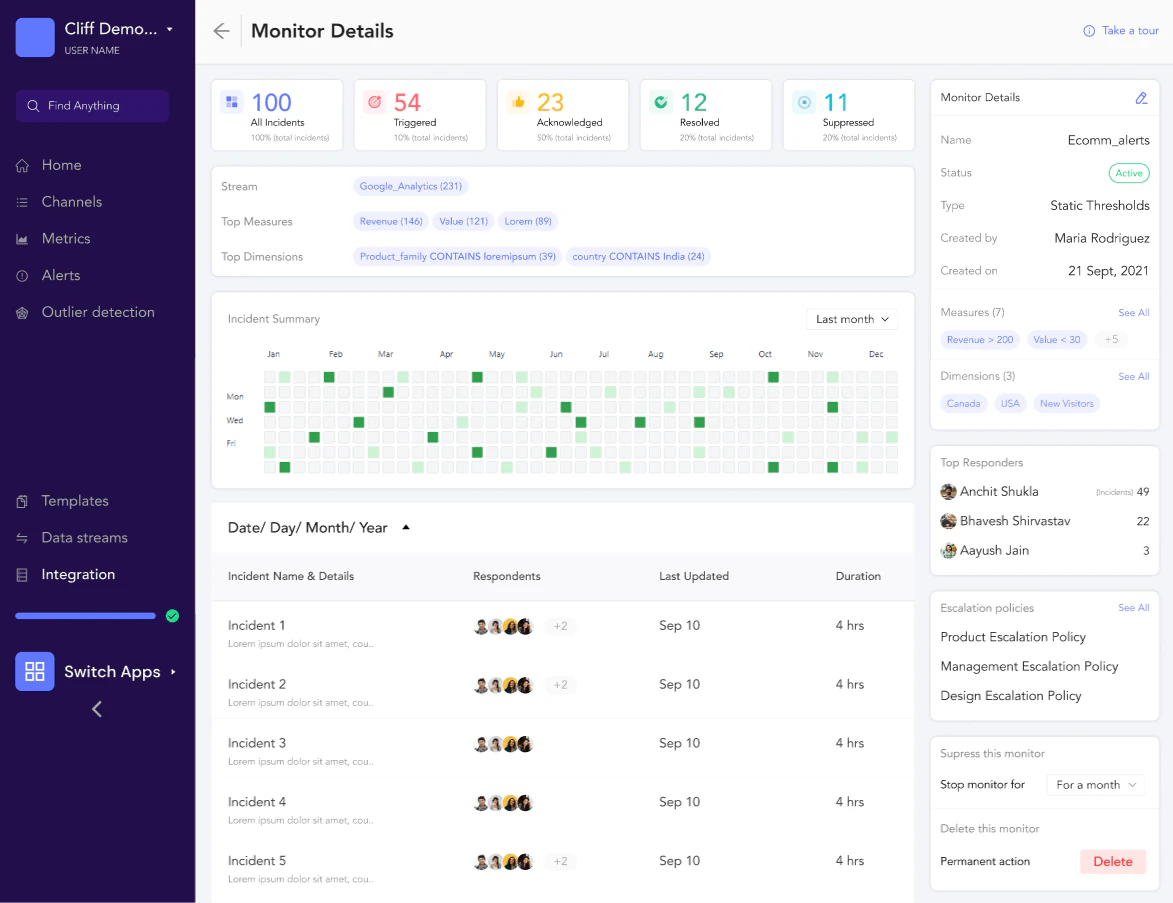
A monitor watches a stream and its measures, and raises an incident when it spots an anomaly. The list shows each monitor’s type, incident count, owner and streams. The detail page adds its escalation policies, top responders and a heatmap of when incidents happen.
Incidents: One Page For Every Anomaly And Its Status
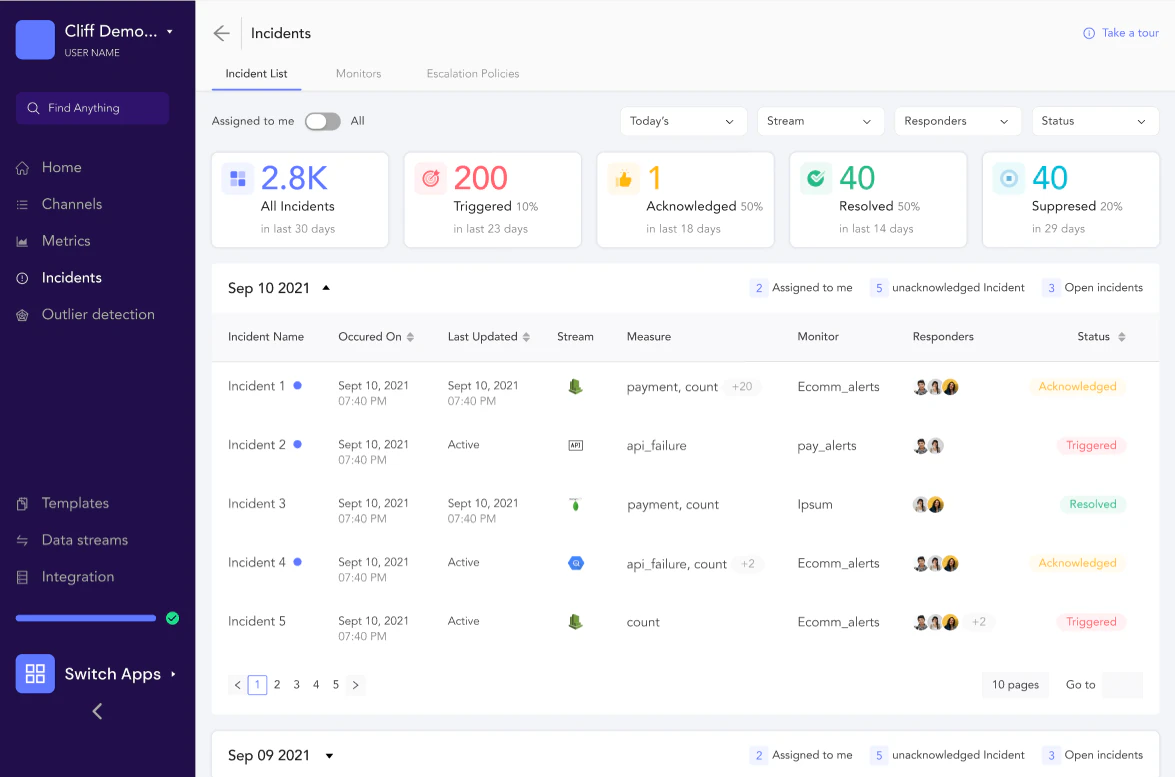
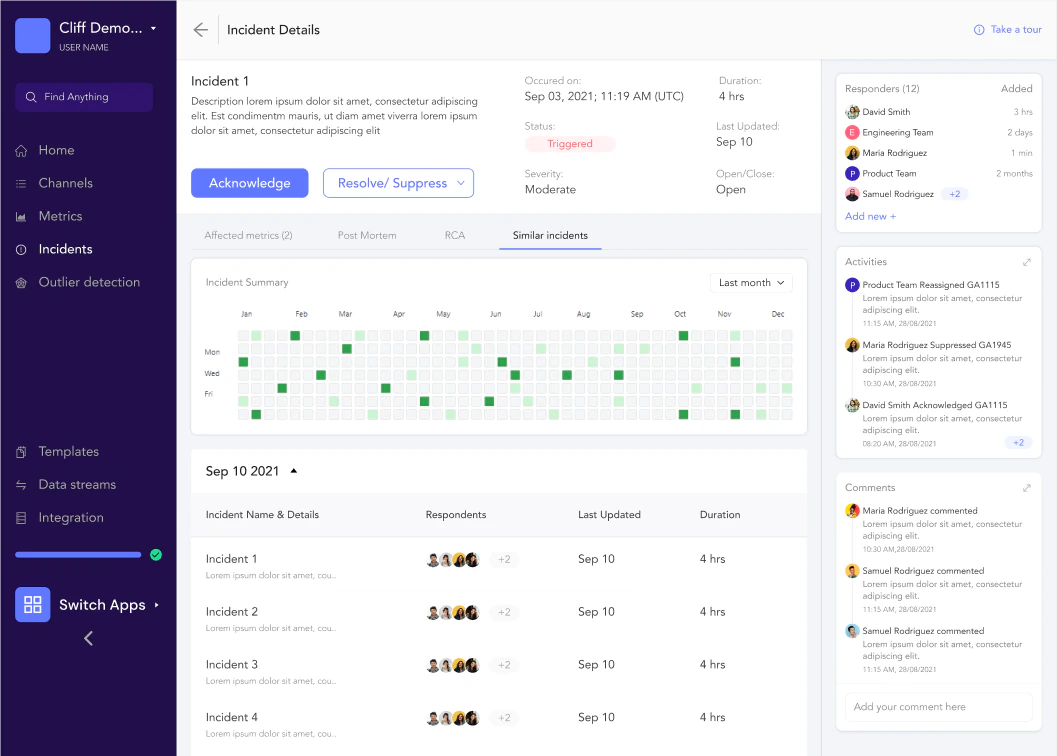
Related anomalies are grouped into one incident. The incidents page lists them by date with their status: triggered, acknowledged, resolved or surrendered. Each incident gets its own page with graphs, responders, an activity timeline and comments.
Escalation Policies: The Right Person Hears First, With No Setup
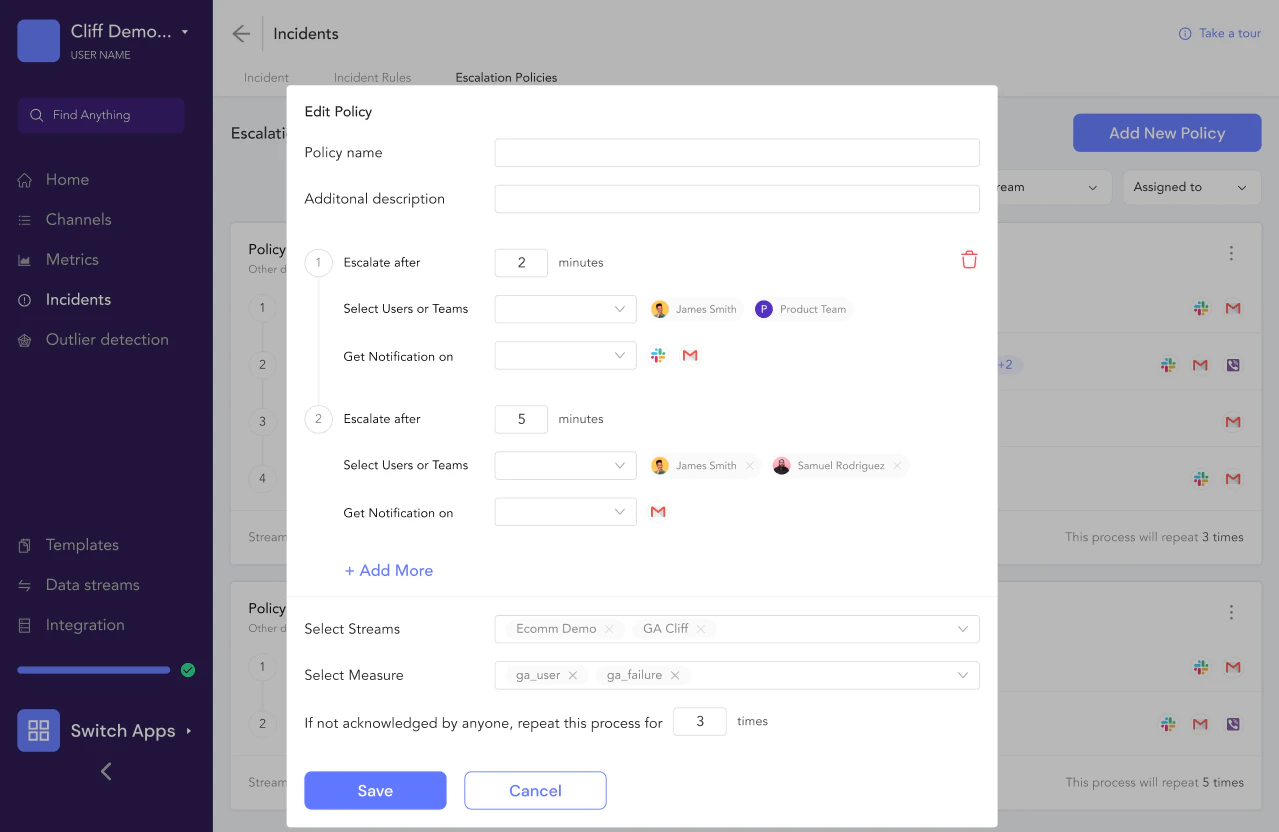
A default escalation policy sends notifications the moment an incident is created, with nothing to set up. That fixed Aayush’s problem.
For more control, teams set who is notified, after how long, and where: Slack, Viber, mail. The ML team hears about ML incidents, not the frontend team.
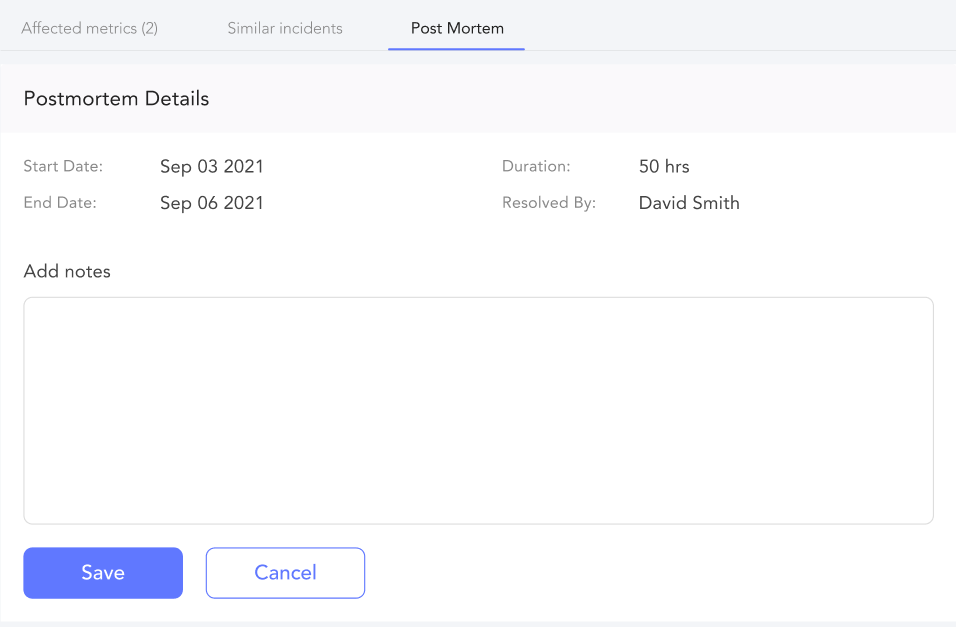
Once someone acknowledges and resolves an incident, they can write its postmortem.
04Reflection
What I Learned: Iterate, Write Good PRDs, Audit In Rounds
- Iterate with feedback. Failing quickly was the fastest way forward.
- A good PRD saves every team time.
- Audit the way you design, in rounds. Nothing is right in one go.