

Designing for Efficiency
Helping warehouse teams catch bad stock before it ever reaches a customer's order.
Omniful
Company
6 → 4
steps per failed item
Zero
mode switches
PDA + RTL
not ported from web
Project Overview
Objective. Let warehouse operators catch expired or damaged stock on a routine check, before a live customer order finds it.
- Industry
- B2B SaaS · Warehousing & fulfilment
- Platform
- Handheld scanner (PDA), Arabic RTL
- Tenure
- ~1 month
- Tools

- Team
 Devesh (me)Product Designer
- 3Engineers
- 1Onsite Product Manager
What I delivered
- Owned the design end to end, from the problem to the shipped flow.
- Mapped why bad stock was only found mid-order, and what the scanner could handle.
- Designed 4 iterations for the handheld scanner, in Arabic RTL.
- Tested them with warehouse labourers on recorded sessions.
- Found the pattern that reshaped the flow: pickers spot bad items first, then decide.
- Chose not to ship the fastest version, because disposal can't be undone.
- Shipped iteration 2, and documented 3 and 4 for later.
What Omniful does
Omniful
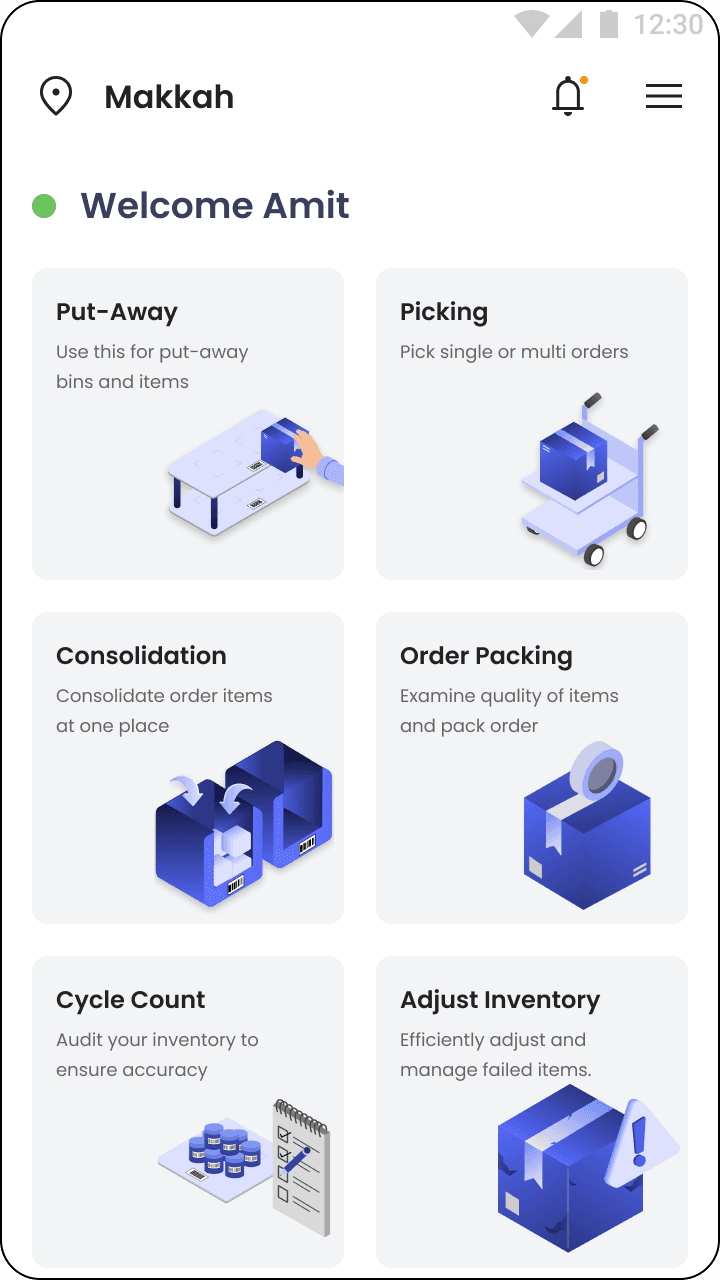
Omniful makes software that runs warehouses: the stock on the shelves, the pickers and the orders that leave each day.

Adjust Inventory · part of Omniful
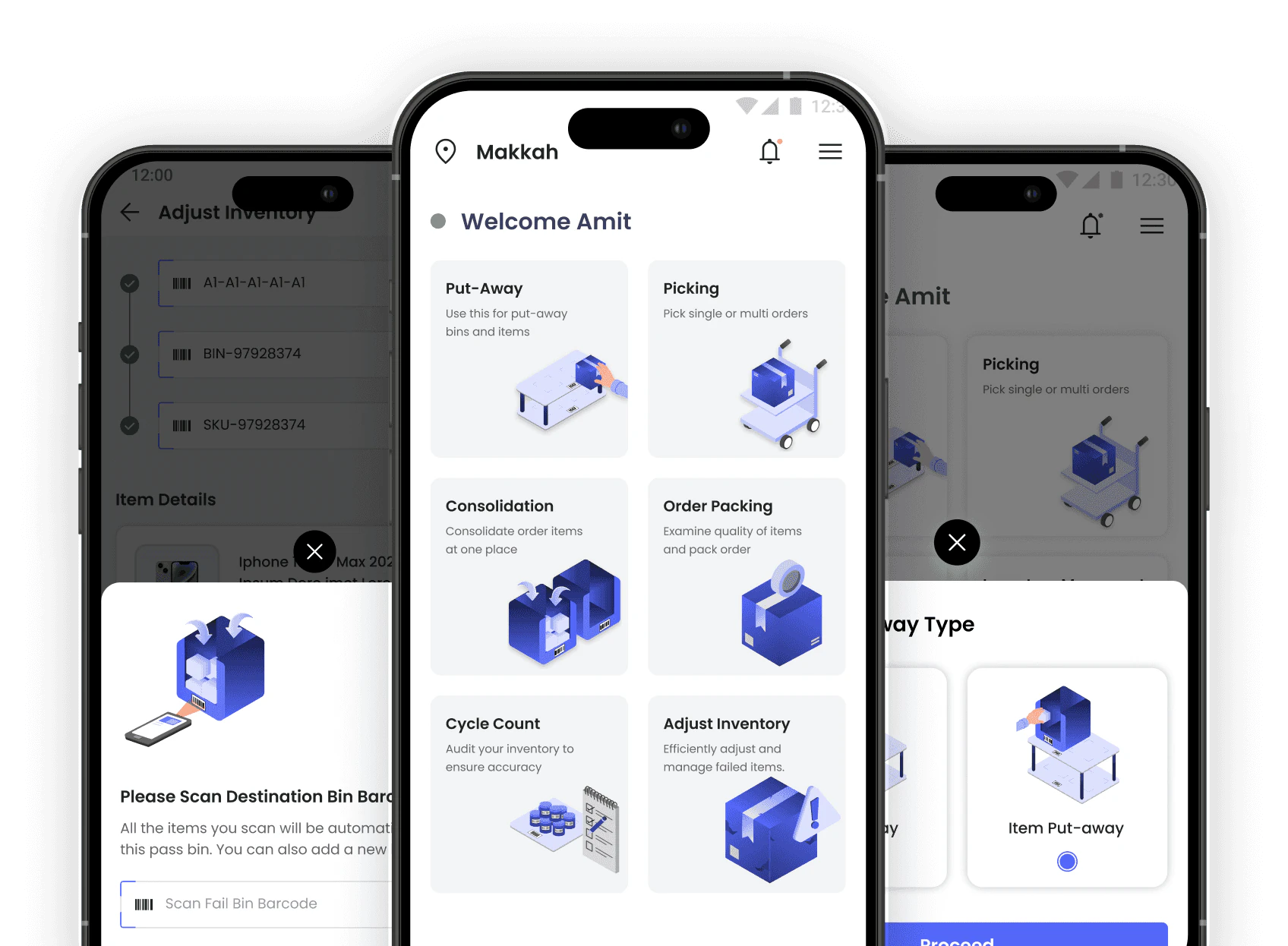
A quality check flow in Omniful's handheld scanner app, so operators catch bad stock before a customer's order does.
01Problem Framing
The Problem: Bad Stock Was Only Found During Live Orders
Warehouse operators had no way to flag expired or damaged stock until a live customer order sent them down that aisle. I designed Adjust Inventory, a QC flow that lets them check stock on their own schedule, on a handheld scanner, at the speed they actually walk.
How One Expired Milk Packet Halves An Order
Peak evening rush. A customer orders four packets of milk and a bag of tea. ₹250. A picker walks to the shelf, two minutes, scans the cart, the bin, then the milk.
The device flashes back: expired.
He marks it failed. What leaves the warehouse is one bag of tea. ₹100 out of a ₹250 order.
Nobody did anything wrong. The picker followed process, the system worked as built. But the customer got half an order, the warehouse spent full delivery cost on it, and upstream, someone had badly overestimated how much milk this zone would sell before it expired.
Old vs New: Checking Stock Before Orders, Not During Them
02Research
Why Bad Stock Was Only Ever Caught Mid-Order
Because the only trigger for an inventory check was a live order. Every discovery of bad stock was also, by definition, a live failure.
Four things broke at once, every time:
- Customer gets a partial order.
- Full delivery cost on half the order value.
- Picker’s trip wasted.
- Bad stock still counted as sellable.
The fix had to break that dependency. Check stock during a quiet hour, not the customer’s dinner hour.
3 Constraints: The Device, Two Product Types, Two Destinations
The device.
Handheld PDA, low resolution, physical scan trigger. Across thousands of items a day, one extra tap is not a small thing.
Two product types.
Serialised items scan clean, one barcode each. Non serialised items need a batch number and a keyed quantity. One flow had to hold both.
Two destinations for bad stock.
Returnable items go to a failed bin, headed back to the seller. Expired milk goes to disposal. Irreversibly.
03Ideation & Testing
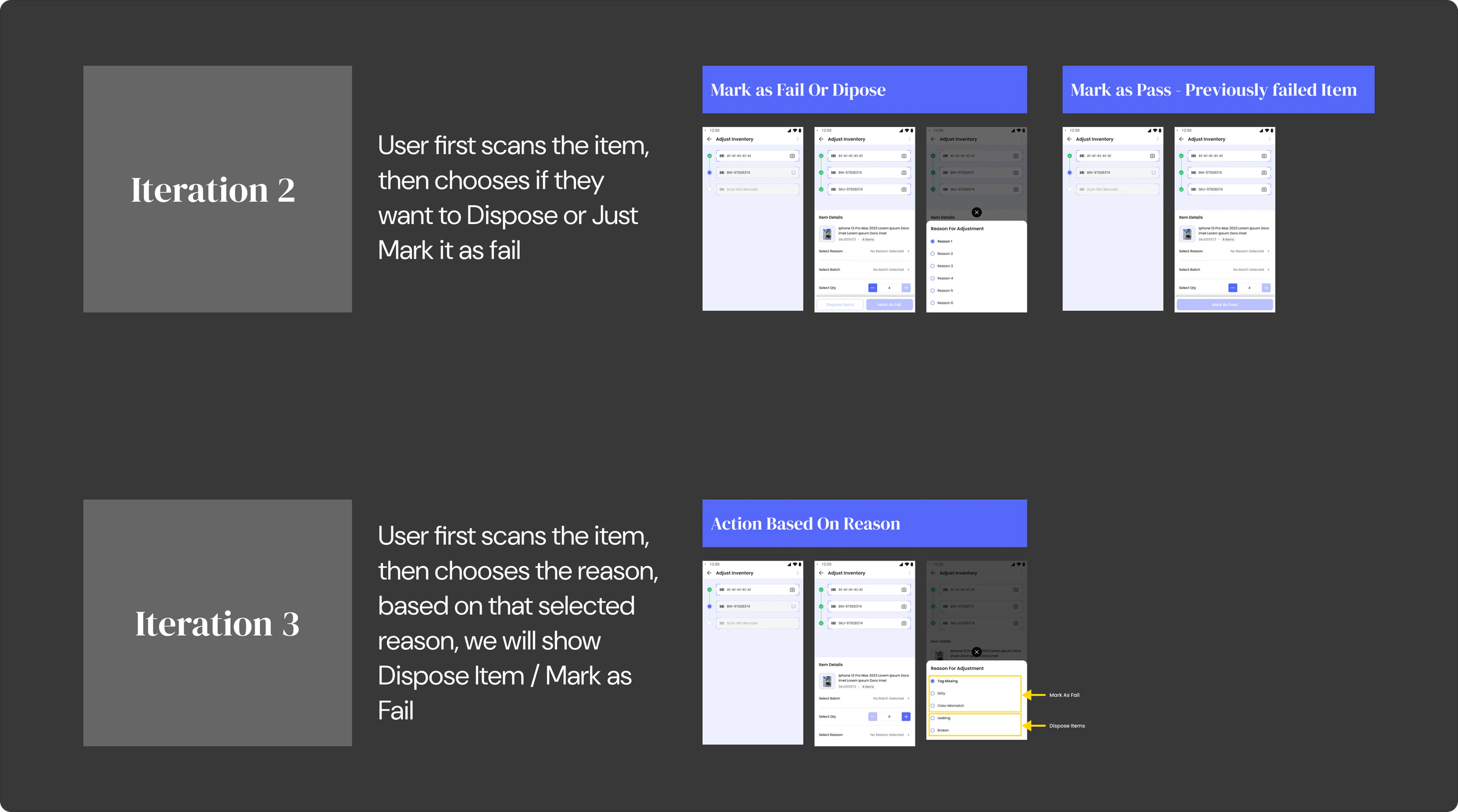
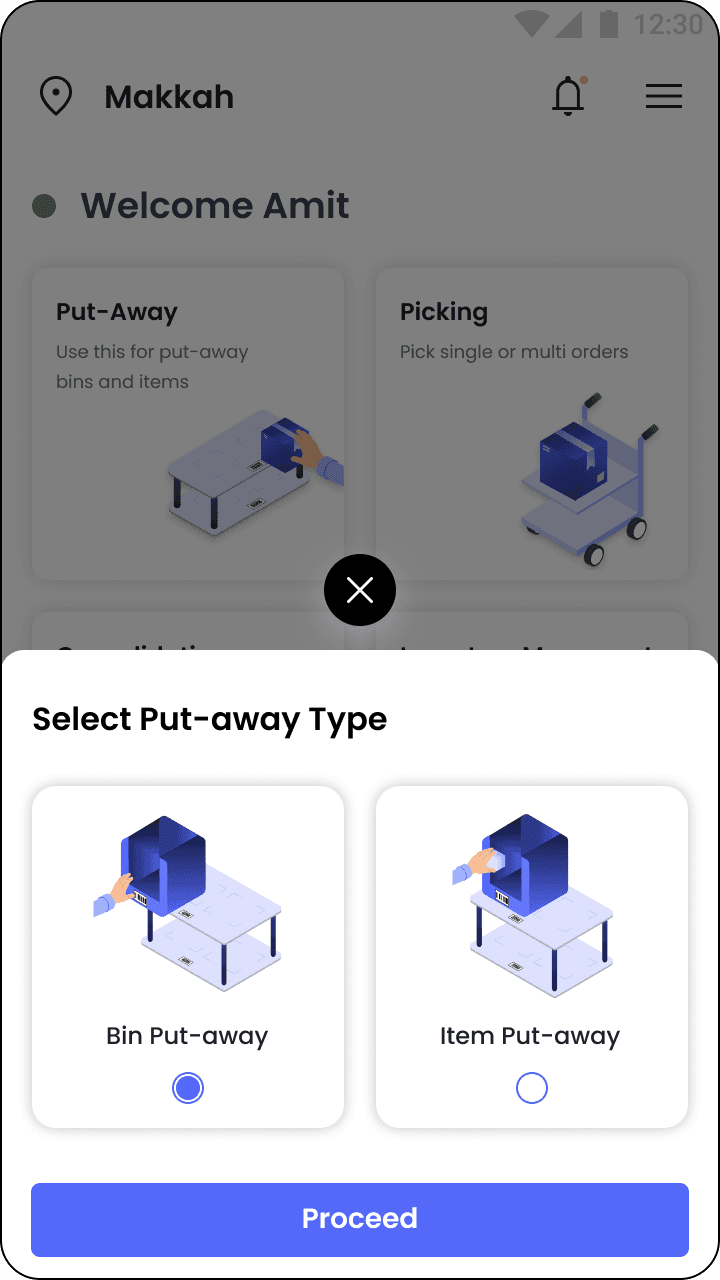
First Attempts: Pick The Action First, Then Scan
The obvious thing. Ask what they want to do, then let them do it.
I also tried a swipe based version, left or right per item. Felt fast, but it still repeated the bin scan on every item, so the bottleneck never moved.
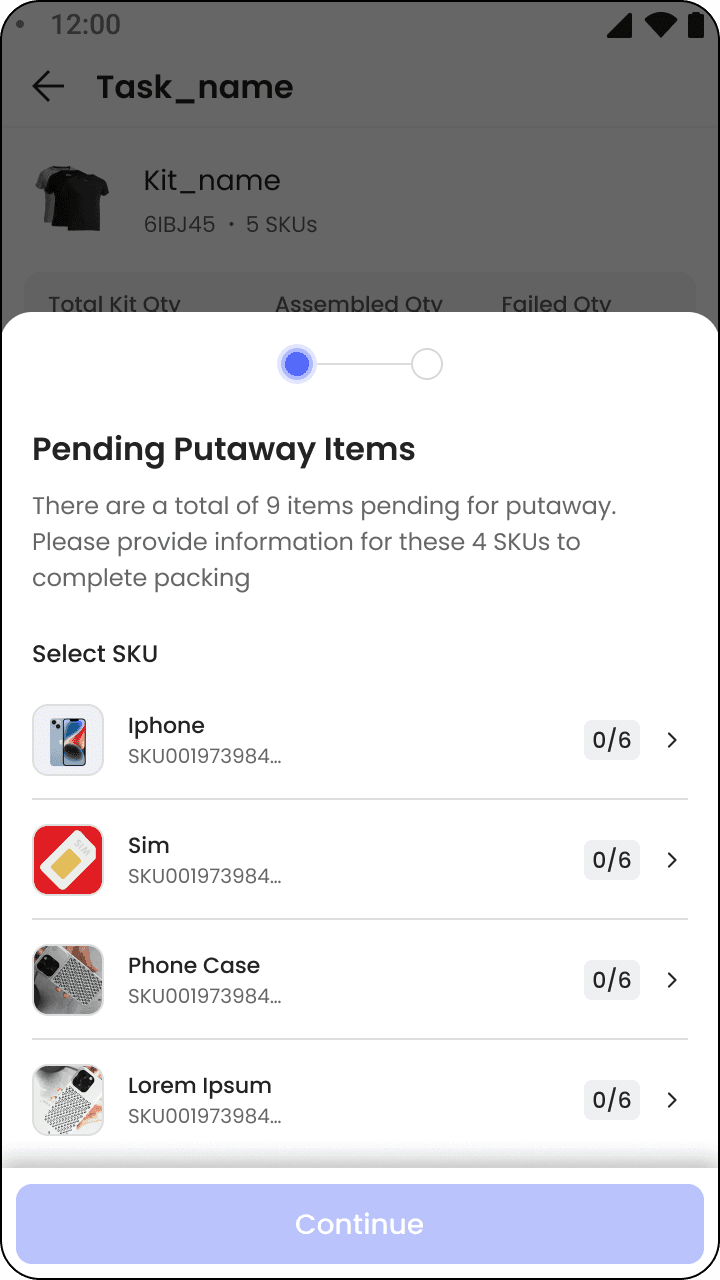
Both assumed a tidy day, one problem type at a time. Real shelves aren’t tidy. A disposable item sits next to a returnable one, and switching between them meant backing out and starting over.
- Location
- SKU
- Bin
- Reason
- Confirm
Testing Showed Pickers Spot Bad Items First, Then Decide
We put the prototype in front of actual labourers, supervisors recorded the sessions, our PM watched onsite.
I had assumed pickers decide the action first, then find matching items. They don’t. They walk the aisle, spot failed items with their own eyes, and only then expect to clear them, usually several at once.
The flow was action driven. The people using it were intent driven. No amount of trimming taps inside iteration 1 would have closed that gap.
04Final Design
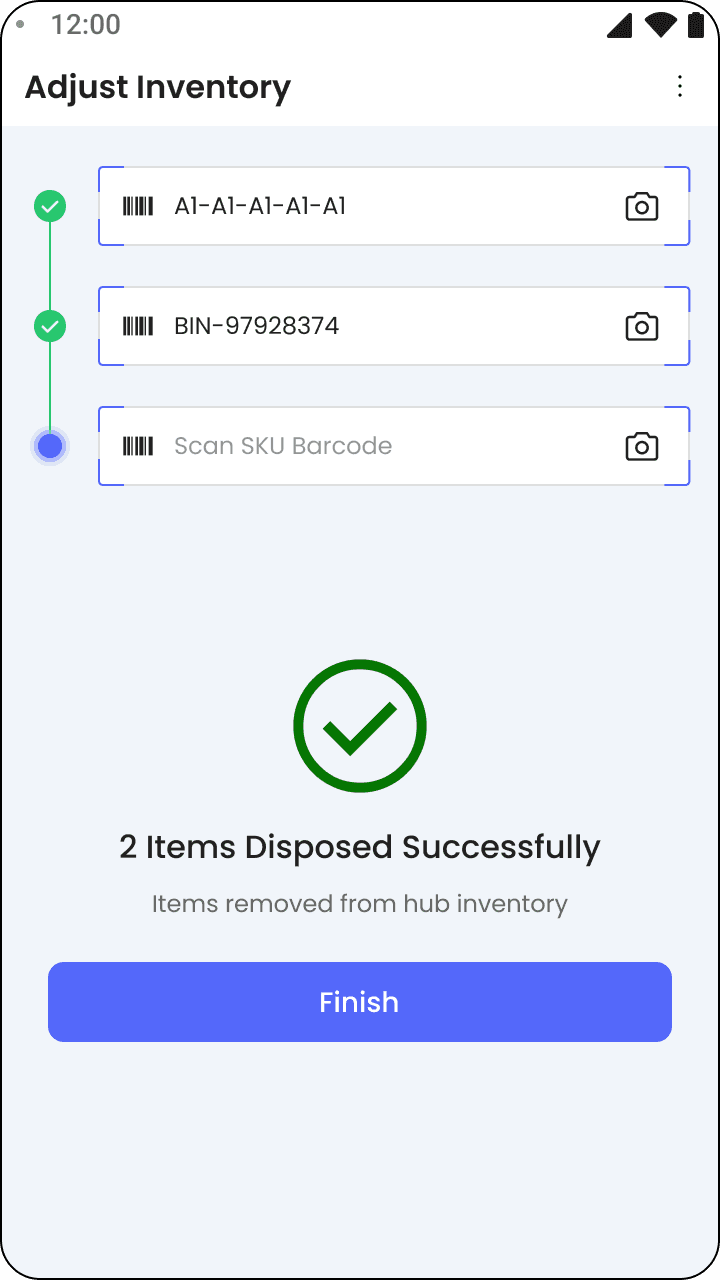
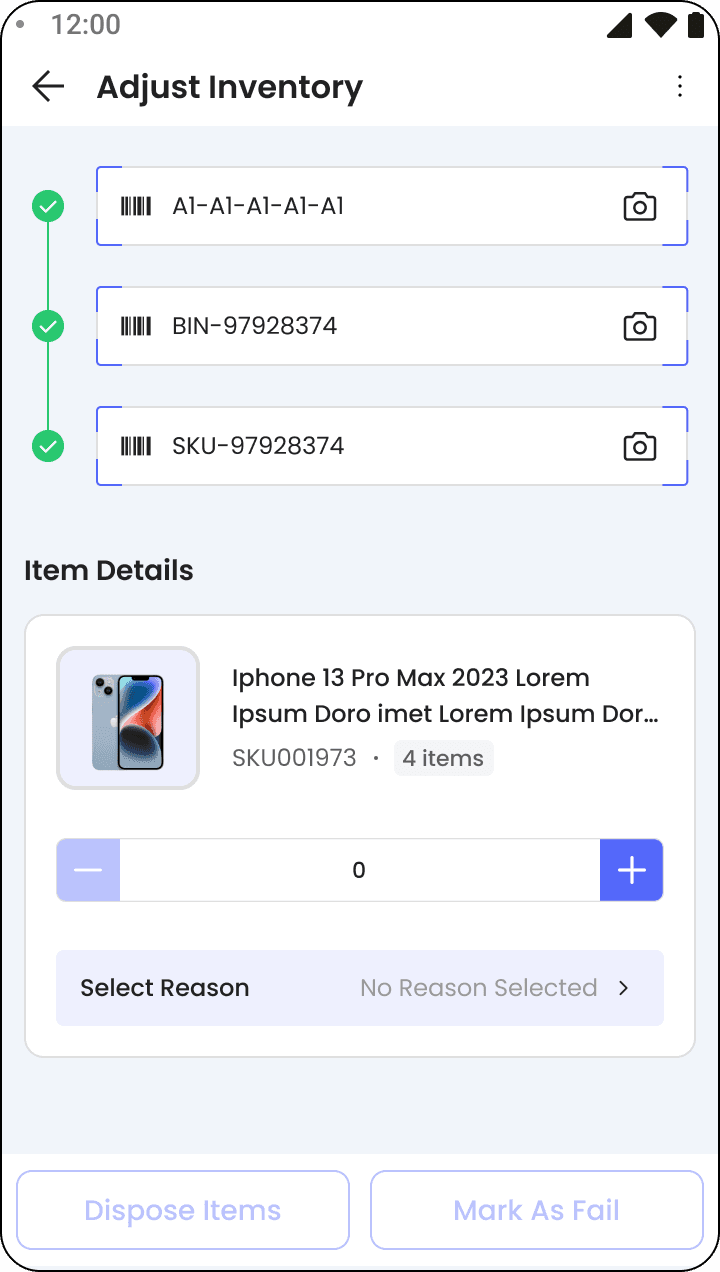
What Shipped: Scan First, Then Dispose Or Fail On One Screen
I flipped the order of operations.
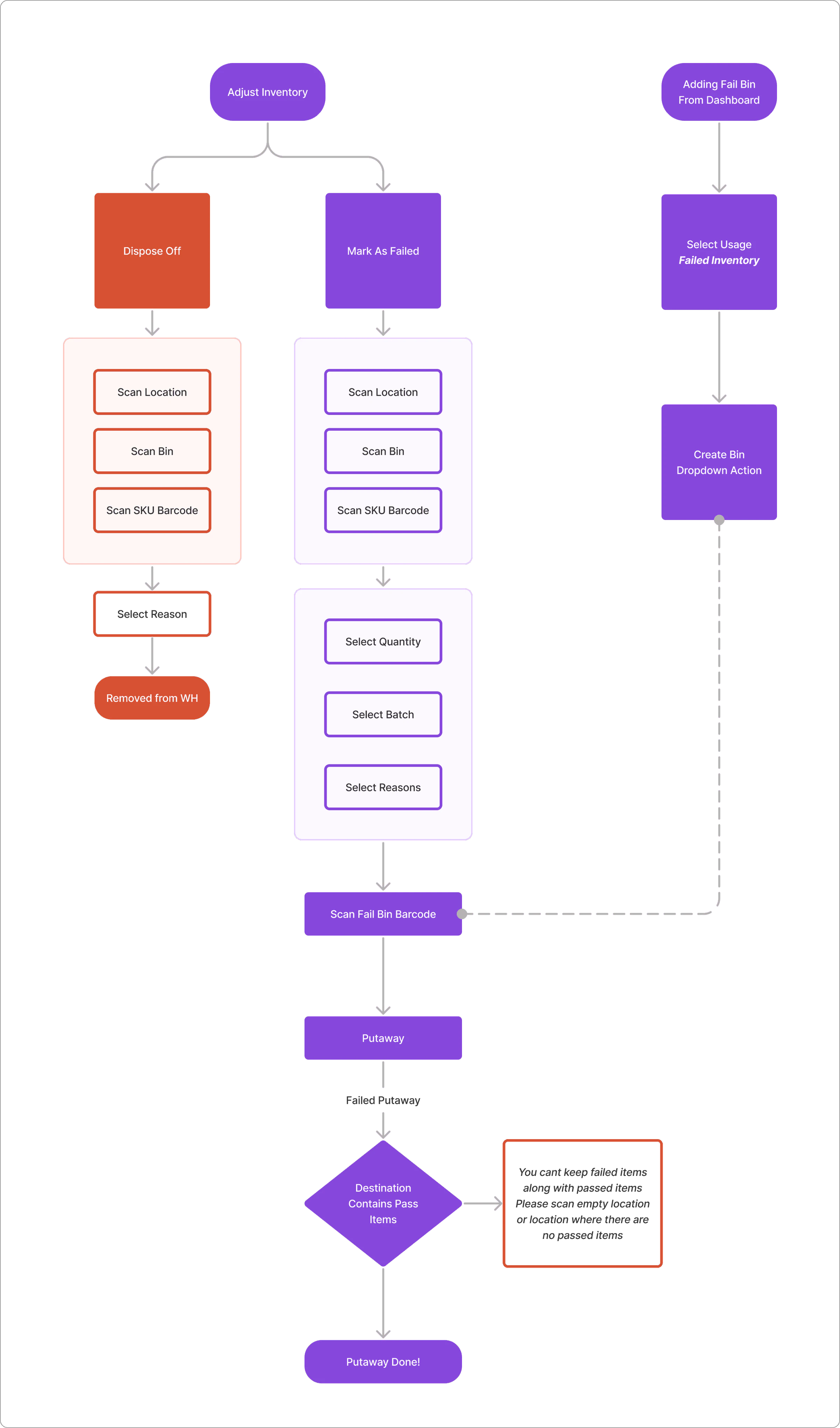
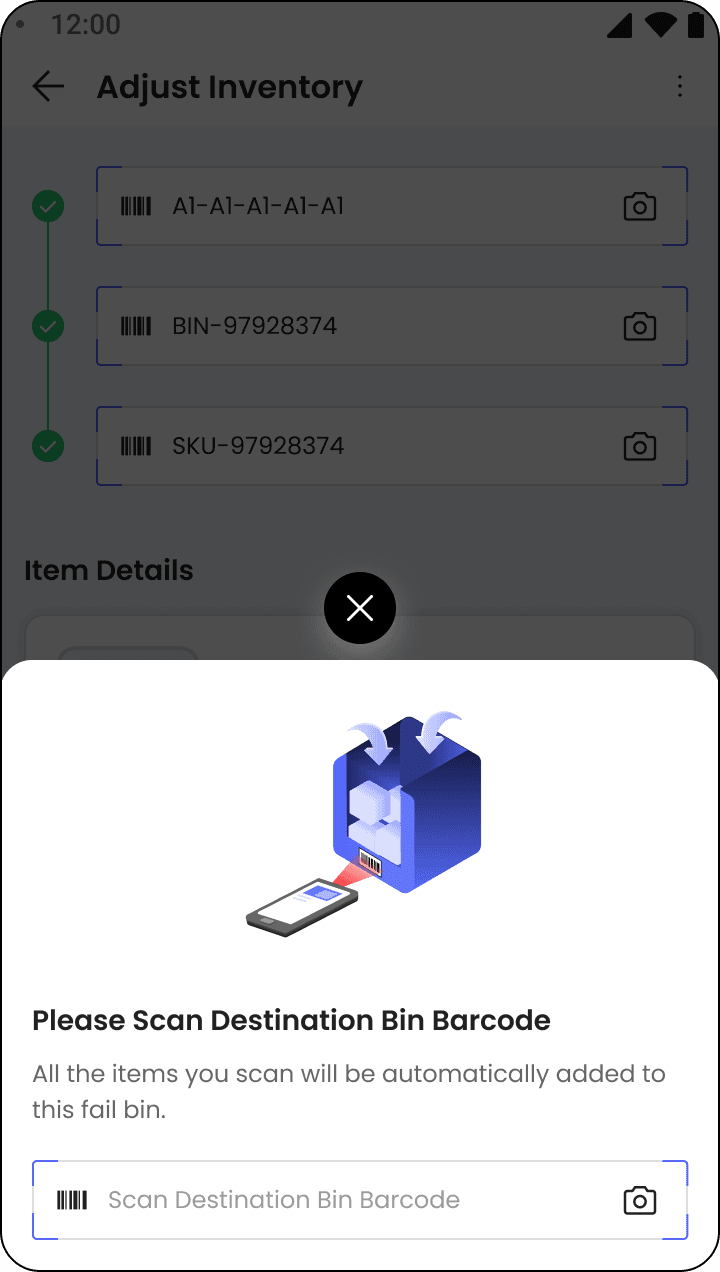
Scan location, item, bin first. No decision upfront. Once the item is on screen, two actions sit right there: dispose or mark as failed.
Same screen, every time. A picker handles mixed stock back to back and never exits to switch modes. The decision happens where it naturally happens, after they’ve looked at the item.
Two Faster Versions We Explored
Two more versions, both faster on paper.
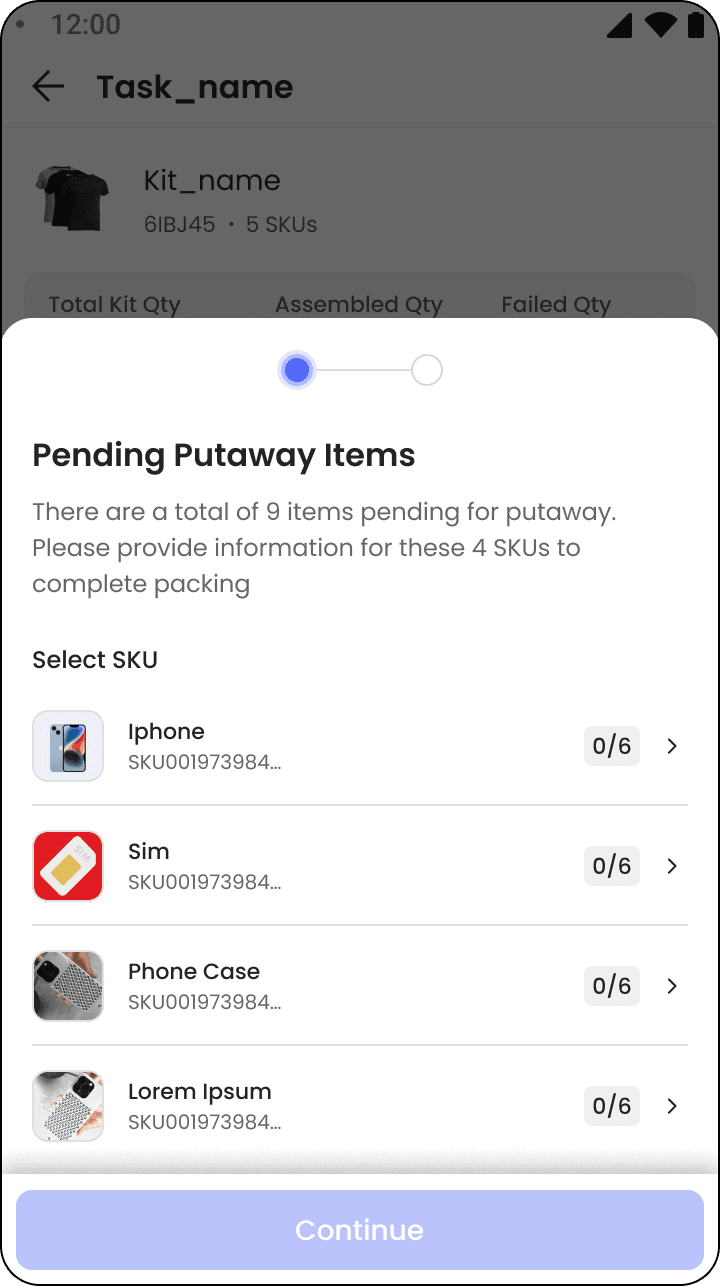
Tag the bin, not the item. Tag a bin as failed or disposal once at the start of a run. Every item scanned after inherits it.
Let the reason decide the action. Reasons like expired route themselves. No tap at all.
Why We Didn’t Ship The Fastest: Disposal Can’t Be Undone
Because we tested it and watched it fail quietly.
When the system decided on its own, users didn’t register which action had been taken. And disposal isn’t reversible. There’s no undo on a bin of milk that already went out.
Iteration 4 removed the last checkpoint that made the flow safe. Faster and worse.
We shipped iteration 2 instead, and documented 3 and 4 for once we design a proper confirmation and undo layer.
05Launch & Impact
The Result: Bad Stock Caught Hours Before An Order
Back to that evening rush. Four packets of milk, a bag of tea, ₹250.
Now the milk gets caught on a routine check hours before the order exists. The picker never fails an item mid-order. The customer gets what they paid for. And the buying team learns the stock went bad while there’s still time to act, not after a rider is on the road.
Directional outcomes: operation time down · labour cost down · inventory accuracy up · discrepancy cancellations down · scanning replacing typing · RTL ready from day one
What I Learned: Align With Partner Teams Early
Working closely with partner teams reinforced the value of shared thinking. Aligning early and often helped us create a more cohesive experience, where the product felt consistent and intentional across touch points.